




















Many podcast beginners and home recording enthusiasts encounter the same frustrating situation. They invest in an expensive microphone, expecting broadcast-quality audio, only to discover that their recordings still contain background hiss, weak vocal tone, or a lack of clarity.
Instead of the rich, warm sound you hear in professional podcasts, the result can feel flat and unpolished. Naturally, many creators start questioning whether they bought the wrong microphone.
The real issue often lies elsewhere in the audio chain.
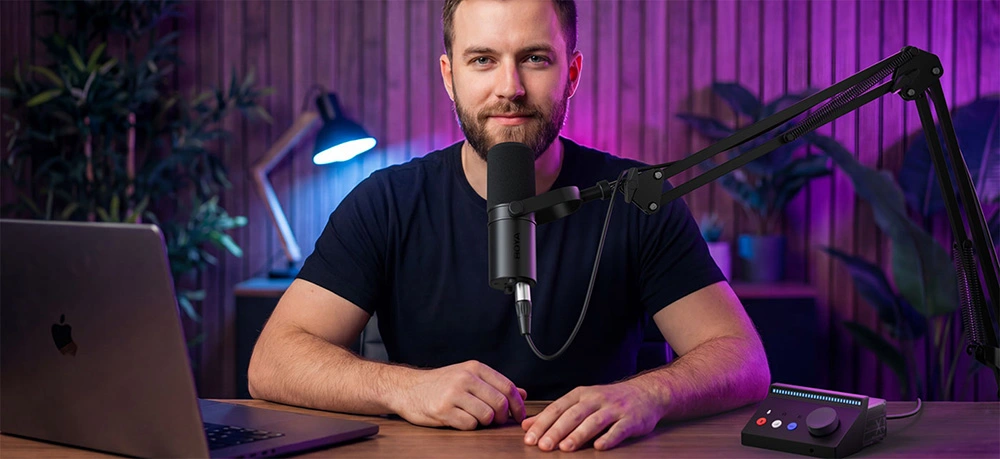
In a typical podcast recording setup, the microphone is only responsible for capturing sound. The device that determines whether that sound is recorded accurately and cleanly is the audio interface (often called an external sound card). It acts as the central hub of the recording chain and plays a critical role in audio fidelity, signal clarity, and workflow efficiency.
In other words, while the microphone captures the voice, the audio interface determines how well that voice is translated into digital audio.
In this article, we’ll explore what an audio interface actually does, how it improves podcast recording and voice recording quality, and what beginners should look for when choosing one.
What Is an Audio Interface?
At its core, an audio interface connects two completely different worlds: the analog world of real sound and the digital world of computers.
When you speak into a microphone, it produces an analog electrical signal. However, computers and recording software can only process digital data. The audio interface converts these signals between the two formats and ensures the process happens with minimal quality loss.
For this reason, audio interfaces are often described as both a translator and a power hub in a recording system.
AD/DA Conversion
The most fundamental function of an audio interface is analog-to-digital (AD) and digital-to-analog (DA) conversion.
- AD conversion transforms the analog signal from your microphone into digital data that your computer can record.
- DA conversion turns digital audio from your computer back into analog signals for playback through headphones or speakers.
The quality of these converters—often described by sample rate and bit depth—directly affects how accurately the recorded sound represents the original voice.
Microphone Preamplifier (Preamp)
Microphones produce extremely low-level signals. Without amplification, the signal would be too weak to record properly.
An audio interface includes a preamplifier, which boosts the microphone signal to a usable level while keeping additional noise as low as possible.
Phantom Power (+48V)
Most professional condenser microphones require external power to operate. Audio interfaces supply this through +48V phantom power via an XLR cable.
Without phantom power, condenser microphones will not function.
Zero-Latency Monitoring
Professional audio interfaces often provide direct monitoring, allowing you to hear your voice in real time through headphones while recording.
This eliminates delay caused by computer processing and is essential for smooth podcast recording.
Real-Time DSP Processing
Some modern audio interfaces include built-in DSP (Digital Signal Processing). This allows creators to apply basic processing such as EQ, compression, or reverb while recording.
This can help podcasters hear a more polished sound during recording and reduce post-production editing.
Built-in Sound Card vs External Audio Interface
Most computers already contain a built-in sound card, but these are designed for general multimedia use rather than professional recording.
| Feature | Built-in Sound Card | External Audio Interface |
|---|---|---|
| Primary Use | Everyday media, gaming, calls | Recording and audio production |
| Conversion Quality | Basic | High-precision AD/DA conversion |
| Preamps | Limited or absent | Dedicated low-noise preamps |
| Input Types | Usually 3.5mm only | XLR, TRS, instrument inputs |
| Core Features | Basic playback/recording | Phantom power, monitoring, gain control |
| Noise Performance | More susceptible to interference | Much lower noise floor |
How an Audio Interface Improves Podcast Recording Quality
Improved Audio Clarity and Lower Noise
Computer motherboards contain many electronic components that can introduce electromagnetic interference. External audio interfaces use better shielding and dedicated circuitry, significantly reducing electrical noise.
This results in a much cleaner noise floor, allowing subtle vocal details and tonal variations to be captured more clearly.
Real-Time Monitoring
Direct monitoring allows podcast hosts to hear their own voice instantly, making it easier to adjust tone, pacing, and microphone distance during recording.
Physical Controls
Many audio interfaces feature dedicated gain knobs and monitoring controls. Adjusting levels with physical knobs is faster and more intuitive than navigating software menus.
Multiple Microphone Inputs
Podcast interviews and group discussions often require multiple microphones. Interfaces with multiple inputs allow several hosts or guests to record simultaneously.
How to Choose an Audio Interface for Podcasting
Identify Your Recording Setup
| Scenario | Recommended Inputs | Key Features | Additional Needs |
|---|---|---|---|
| Solo podcast / voice recording | 1–2 inputs | Clean preamp, gain metering | Stability |
| Multi-host podcast | 2–4 inputs | Independent gain control | Multiple headphone outputs |
| Music recording / singing | At least 2 inputs | Instrument input (Hi-Z) | Low-latency monitoring |
| Mobile recording | 1–2 inputs | Class-compliant mode | Tablet/phone compatibility |
Interface Connectivity Considerations
Most audio interfaces connect to computers via USB. Many newer devices feature USB-C connectors, although many still operate using USB 2.0 protocols internally.
Another important feature is Class Compliant compatibility, which allows the interface to operate without additional drivers.
BOYA Caster X1: Audio Interfaces Designed for Content Creators
In recent years, some audio interfaces have been designed specifically for podcasters, streamers, and content creators.
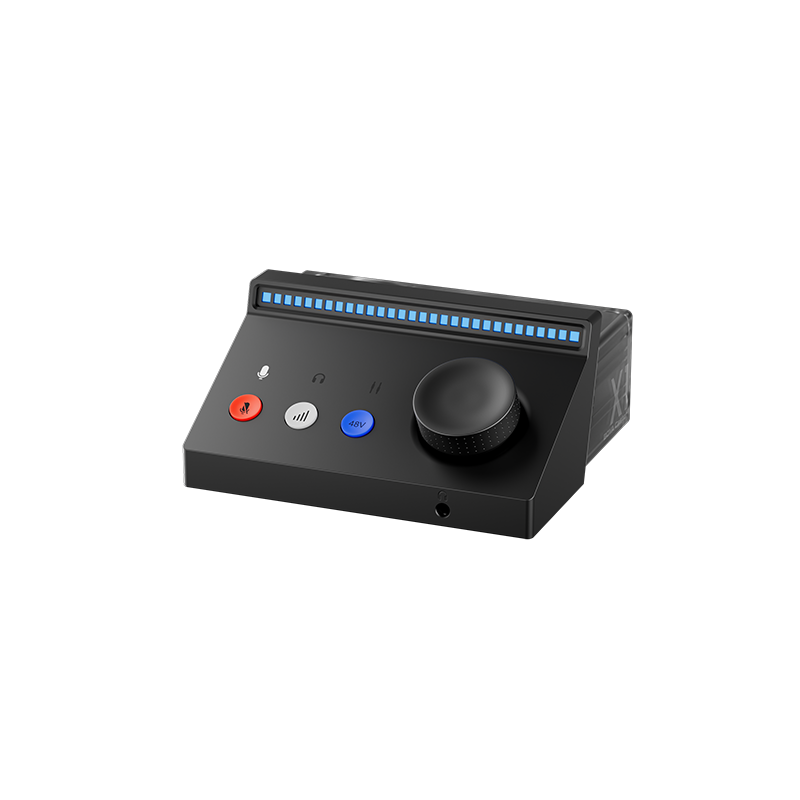
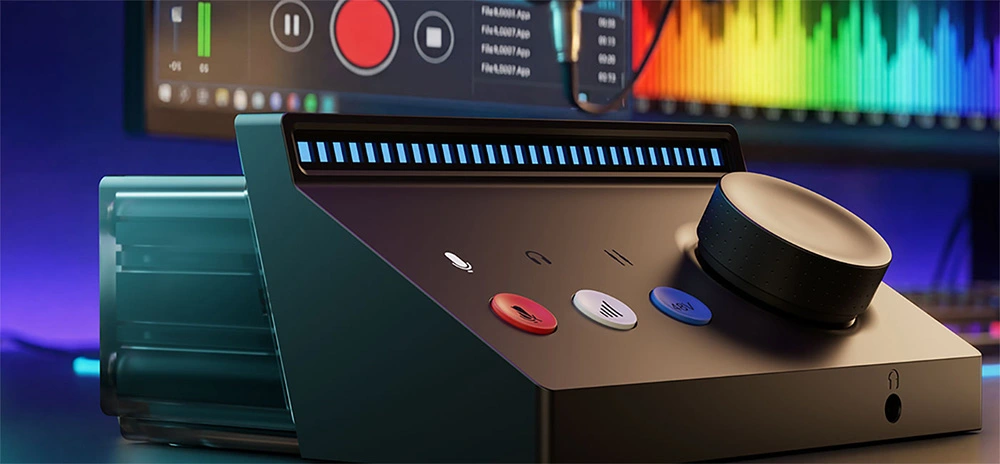
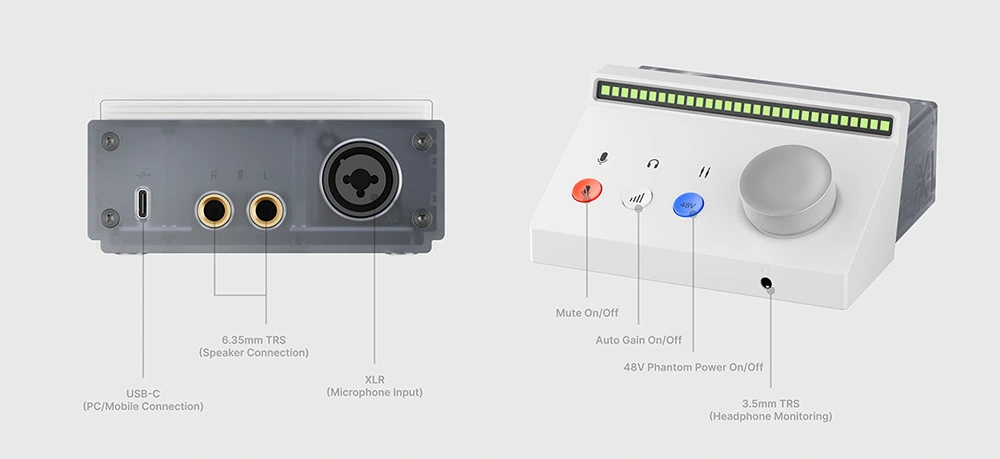
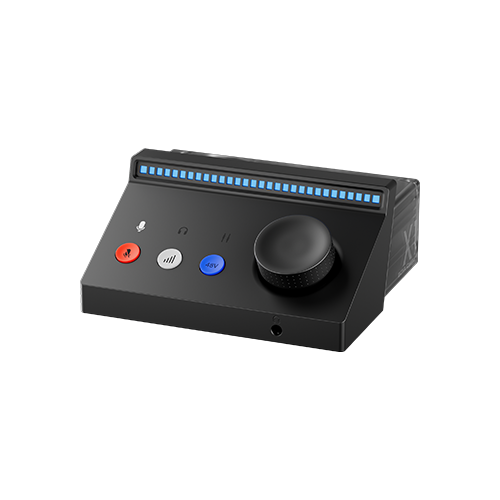
One example is the BOYA Caster X1 audio interface, which focuses on simplicity and creator-friendly workflow.
It offers up to 70 dB microphone gain, allowing it to drive many dynamic microphones commonly used in podcasting. It also supports 24-bit / 192 kHz audio resolution, which helps preserve vocal detail and dynamic range.
The interface includes an XLR microphone input and 48V phantom power, meaning it works with both dynamic and condenser microphones.
For usability, the device features multi-function control knobs with RGB level indicators, allowing users to visually monitor signal levels and adjust gain quickly during recording. Companion software can also help manage audio routing and monitoring.
For beginners building a home podcast studio, interfaces designed this way can simplify the recording process while still delivering professional sound quality.
Conclusion
An audio interface acts as the quality gatekeeper of your recording setup. While the microphone captures your voice, the interface determines how accurately that voice is amplified, converted, and recorded. With better signal processing, cleaner amplification, and improved monitoring, an external audio interface can significantly improve podcast audio quality.
To learn more about the latest news from BOYA, join in our official social media accounts: Facebook, Youtube, Instagram.
Frequently Asked Questions
Do I really need an audio interface for podcast recording?
If you want professional-quality podcast audio, an audio interface is highly recommended. While a microphone captures your voice, the interface ensures low noise, proper gain, and accurate digital conversion.
Can an audio interface improve my computer’s built-in microphone?
No, audio interfaces work with external microphones. They cannot magically improve the built-in mic on your laptop. For best results, pair a quality external microphone with an audio interface.
What kind of microphone works with an audio interface?
Both dynamic and condenser microphones can work. Condenser mics usually require +48V phantom power, which most audio interfaces provide via XLR inputs. Make sure to check the interface specifications.
What is zero-latency monitoring and why is it important?
Zero-latency monitoring allows you to hear yourself in real time while recording, without the delay caused by computer processing. This helps you maintain timing, expression, and vocal consistency during podcast recording.
An audio interface will make my voice sound better?
An audio interface does not change your voice. Its purpose is to capture your voice accurately rather than artificially enhance it.
An audio interface removes room noise?
Audio interfaces mainly reduce electrical noise from recording hardware. They cannot remove environmental sounds such as air conditioners, traffic, or room echo.
A high-end interface solves everything?
Audio quality depends on the entire recording chain. A great interface cannot fully compensate for a poor microphone or a noisy recording environment.


