




















When embarking on your journey in podcasting, streaming, voiceover, or music production, you face a critical audio decision: Should you choose the efficient and convenient USB mic, or the professional and flexible XLR mic? This is not a question of "which is better," but rather, "which is the optimal fit for your current needs and future ambitions."
This guide will thoroughly break down the two dominant microphone architectures across five key dimensions: principle, signal chain, cost, sound quality ceiling, and expandability. Our goal is to help you make a strategic choice you won't regret in under 5 minutes.
TL;DR (5-Second Decision Guide)
| Your Requirement | Recommended Route | Core Benefit (Why Choose It?) |
|---|---|---|
| Quick Start, Maximum Convenience | USB Microphone | Plug-and-Play setup, low initial cost, ideal for personal streaming/meetings. |
| Ultimate Sound Quality, Pro Production | XLR Microphone | Highest sound potential, superior anti-interference, necessary for multi-track recording. |
| Start Now, Upgrade Later | Dual-Mode (USB + XLR) Mic | Start with USB simplicity, integrate an audio interface later for a seamless upgrade. |

Principle Determines Potential
To understand the core differences between the two, we must first examine how each handles the audio signal.
Core Definitions and Signal Chain
| Mic Type | Core Principle | Signal Chain | System Positioning |
|---|---|---|---|
| USB Microphone | Digital Integration (All-in-One): Includes a built-in Preamplifier (Preamp) and Analog-to-Digital Converter (ADC). | Mic capsule → Built-in Preamp/ADC → USB Cable → Computer (Digital Signal) | The All-in-One Unit: Integrates the functions of both the microphone and the sound card. |
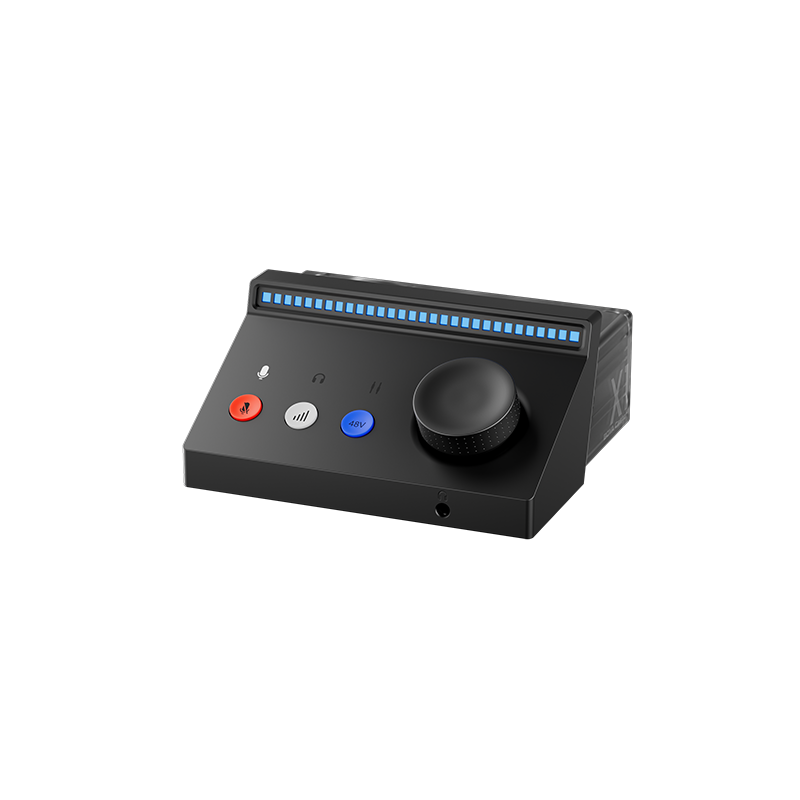
| XLR Microphone | Analog Separation (Modular): Outputs a weak analog balanced signal, requires external equipment for processing. | Mic capsule → XLR Cable → External Audio Interface (Preamp + ADC) → Computer (Digital Signal) | The Modular Hi-Fi System: Mic, amplifier, and converter are independent, allowing free combination. |
In short: USB is the plug-and-play digital solution; XLR is the modular, professional analog standard.
USB Microphones: King of Convenience
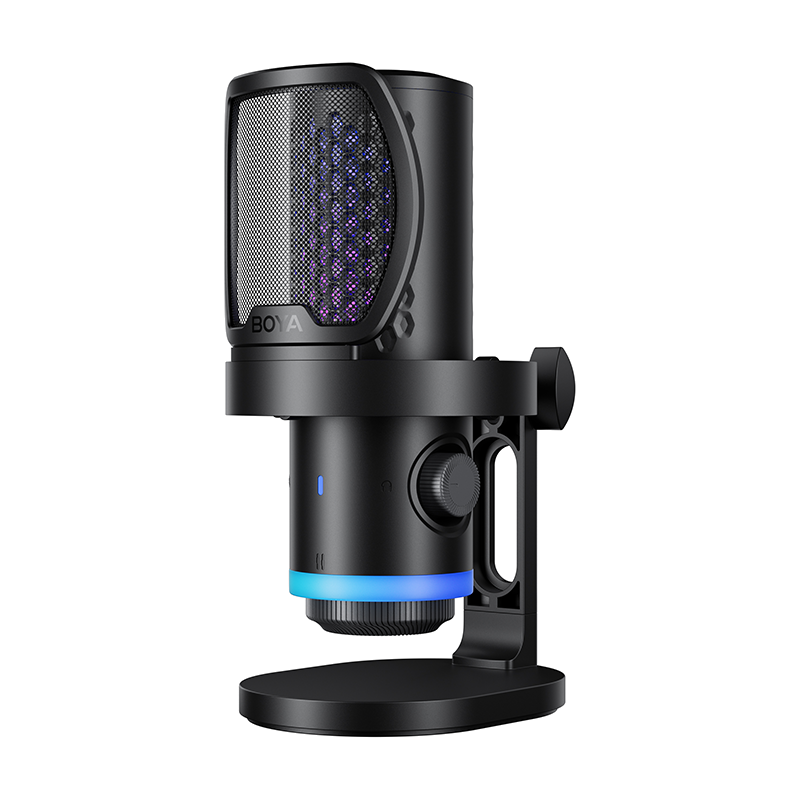
The USB Microphone is the runway designed for content creators looking for a rapid takeoff. If you are interested in this category, you can explore more about USB Microphones.
Key Advantages (Why Choose USB?)
- Plug-and-Play Efficiency: Near-zero setup and learning curve; driverless compatibility with Windows, Mac, and iOS.
- Cost-Effectiveness: Low initial investment; no need to purchase an expensive audio interface, keeping the budget manageable.
- Ultimate Portability: Single-cable solution; minimal components, making it ideal for mobile recording and travel streaming.
Inherent Limitations (The Ceiling)
- Sound Quality Ceiling: Built-in Preamp and ADC quality is often limited by space and cost, restricting dynamic range and sound enhancement. This is closely related to the Preamplifier in recording, which must be high quality to avoid noise.
- Poor Expandability: Difficult to achieve multi-track recording; typically limited to a single input channel for single-person setups.
- Monitoring Latency: Low-end models may experience audible monitoring delay, affecting performance (mid-to-high-end models often include hardware direct monitoring to solve this).

XLR Microphones: Foundation of Professionalism
The XLR Microphone is the standard for those pursuing the highest audio quality and long-term scalability.
Key Advantages (Why Choose XLR?)
- Unlimited Sound Potential: Freedom to pair with high-end external preamps and high-resolution ADCs, achieving studio-grade standards.
- Superior Anti-Interference: Utilizes the Balanced Signal Transmission Design Principle, effectively suppressing electromagnetic interference over long cable runs.
- Modular Upgradability: Mic, interface, and cables can be upgraded independently; multi-channel interfaces natively support multi-track recording.
The Real Cost (Initial Investment)
- High Initial Investment: Requires: Microphone + Audio Interface (Sound Card) + XLR Cables. The entry barrier is significantly higher.
- Setup Complexity: Requires configuring drivers, adjusting buffer sizes, and understanding professional concepts like gain and phantom power (+48V).
- Low Portability: Multiple components and connections make it unsuitable for frequent mobile recording scenarios.
Key Dimension Comparison
| Feature | USB Microphone | XLR Microphone (with Audio Interface) |
|---|---|---|
| Signal Type | Digital Signal | Analog Balanced Signal → Digital Signal |
| Minimum Setup Cost | Lower (All-in-One) | Higher (Mic + Interface + Cables) |
| Multi-Track Capability | Poor (Single track limitation) | Excellent (Multi-channel support) |
| Noise Immunity | Moderate (Susceptible to computer noise) | Superior (Balanced transmission) |
| Monitoring Latency | Depends on the model (direct monitoring can eliminate it) | Zero-Latency Hardware Monitoring |
| Sound Quality Ceiling | Limited by internal chip quality | Virtually unlimited (Dependent on external gear) |
| Upgrade Path | Primarily requires replacing the entire mic unit | Modular; each component can be upgraded independently |
Buying Guide: Scenarios Dictate Your Choice
Your final decision should be guided by your needs, budget, and future plans.
Choose a USB Microphone if:
- You are a beginner and prioritize quick setup over complex audio configuration.
- Your primary use is personal streaming, video conferencing, or vlogging, where "good enough" quality suffices.
- Your budget is limited, and you value maximum portability.
For creators looking to start quickly without sacrificing too much quality, learning how to choose a USB microphone will help you avoid common purchasing mistakes.
Choose an XLR Microphone if:
- You seek studio-grade sound quality, focusing on detail, dynamic range, and minimal noise floor.
- You plan for multi-track recording (e.g., multi-person podcasts, band recordings), requiring multiple inputs.
- You have a sufficient budget and plan for long-term growth and scalability in audio production.
Suggested Upgrade Path: Many professionals start with a high-quality USB or dual-output (USB + XLR) model. This allows them to become familiar with the workflow before transitioning to a full XLR system when their budget and needs grow.
Conclusion
USB and XLR are not rivals; they represent two different stages of the same pursuit:
- USB is the "quick lift," enabling immediate creation with minimal barrier.
- XLR is the "infinite flight path," offering the widest potential for sound quality.
Your decision should align with the three core elements: Current Needs, Budget, and Future Plans. Choose the mic that gets you recording today.
To learn more about the latest news from BOYA, join in our official social media accounts: Facebook, Youtube, Instagram.
Frequently Asked Questions
Can a USB microphone be used for recording music?
Absolutely. For recording vocal demos, acoustic guitar, or other single-track instruments, a high-quality USB microphone provides perfectly usable quality. However, if you require simultaneous multi-track recording (like tracking a drum kit or a band), you must use an XLR microphone setup with a multi-channel audio interface.
Is an XLR microphone always better than a USB mic in terms of sound quality?
Not necessarily. Sound quality is determined by the weakest link in the entire signal chain.
- A high-end USB mic (with quality built-in ADC/Preamp) used in a quiet environment might sound better than a low-end XLR mic paired with a cheap interface in a noisy room.
- The XLR system's advantage lies in its potential (ceiling), allowing for dynamic range and signal-to-noise ratios that USB cannot match.
Is multi-person podcasting feasible with USB microphones?
Technically yes, but complicated and not recommended.
To use multiple USB mics, you need to rely on complex software aggregation (like macOS aggregate devices), which is prone to sample rate synchronization issues and system instability.
The recommended solution is: Use a 4- or 8-channel XLR Audio Interface, which is the stable, professional standard for synchronous multi-track recording.
Why do USB microphones sometimes have monitoring latency?
Latency occurs during the Analog-to-Digital Conversion (ADC) and computer processing. The signal path is: Sound → Mic → ADC conversion → USB transfer → Computer processing → Computer DAC conversion → Headphones. This digital process takes time. To fix this, many mid-to-high-end USB mics include "Zero-Latency Direct Monitoring," which splits the signal to the headphones before the ADC, eliminating the delay.


